
Symptom
When printing a Crystal Report from Agility Explorer, the following error dialog appears:
"UFL 'u2lcom.dll' that implements this function is missing."
Root Cause
This error occurs when a Crystal Report contains a call to a Macola-specific VB (Visual Basic) formula function that is implemented through the u2lcom.dll User Function Library (UFL), and that DLL has not been deployed or registered on the server or workstation being used to print the report. Because the UFL isn't present on that machine, Crystal Reports cannot resolve the function call and throws this error at preview or print time.
Resolution
Rather than deploying u2lcom.dll to every machine that prints the report, the recommended fix is to remove the dependency on the Macola VB function entirely by rewriting the formula using standard Crystal syntax.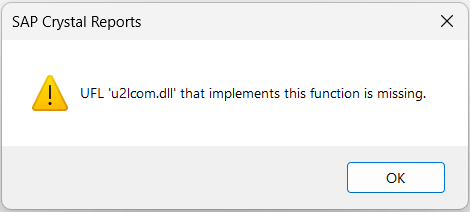
For example, the Macola function FrmtMacolaNumber(), which converts a Macola-format numeric date field into a date, can be replaced with the standard Crystal Date() function: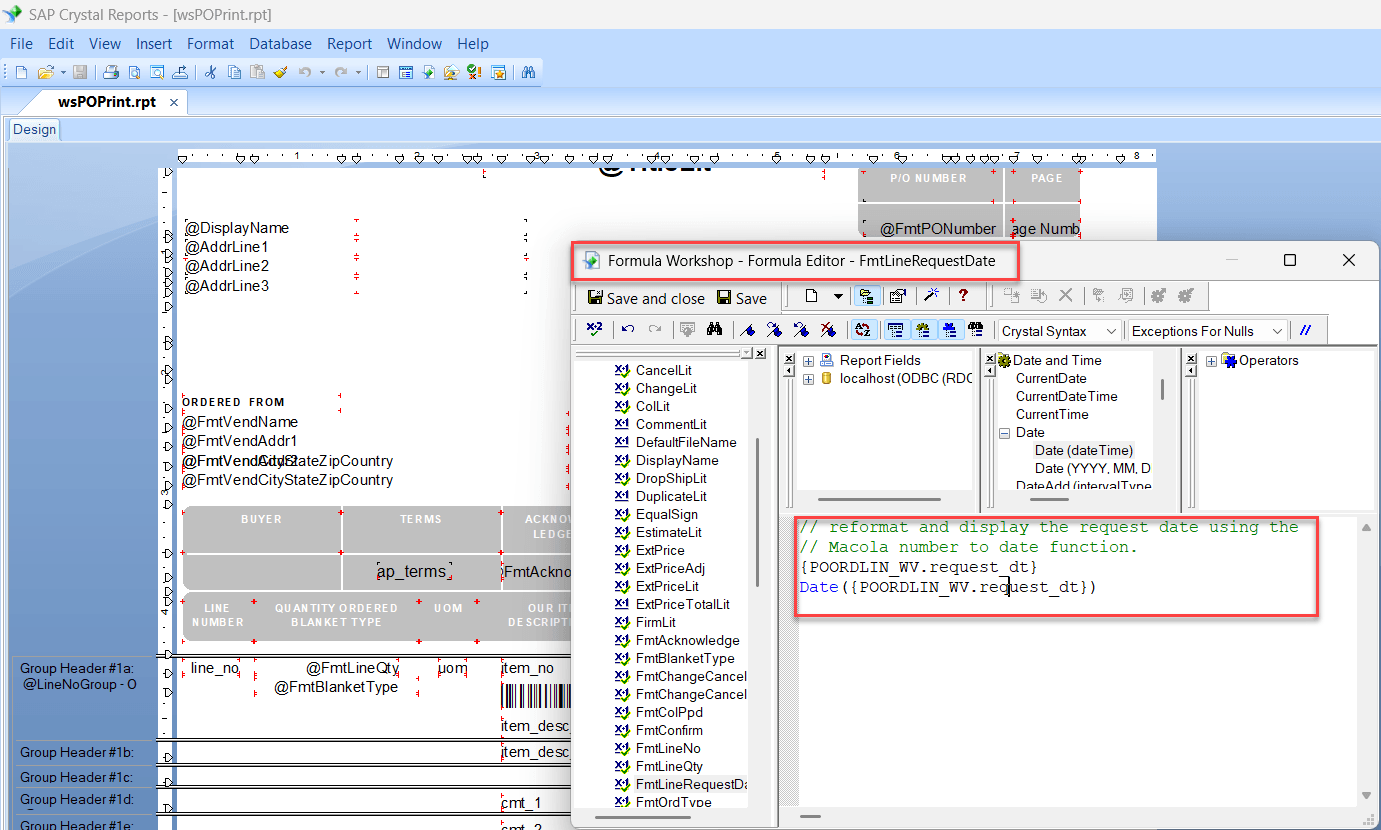
Before (uses a Macola VB function — requires u2lcom.dll):
Date(FrmtMacolaNumber({POORDLIN_WV.request_dt}))
After (standard Crystal syntax — no external DLL required):
Date({POORDLIN_WV.request_dt})
Steps to Update the Formula
-
Open the report in Crystal Reports (for example, wsPOPrint.rpt).
-
Open the Formula Workshop and locate the formula referenced in the error (for example, FmtLineRequestDate).
-
Identify any Macola-specific VB functions in the formula (functions that require u2lcom.dll).
-
Replace the Macola function with equivalent standard Crystal syntax that produces the same result.
-
Click Save (or Save and Close) in the Formula Workshop.
-
Re-run or preview the report to confirm the error no longer appears.
Additional Notes
-
This issue is common on print servers or workstations where the Macola UFL (u2lcom.dll) was never installed or registered, often after a new deployment or a server migration.
-
Removing the dependency on the Macola UFL is preferable to installing or registering the DLL on every machine, since it eliminates a fragile external dependency and makes the report portable across environments.
-
If a report contains multiple formulas that reference Macola functions, each one will need to be reviewed and converted individually.
- Another option is to deploy the Macola VB function for Crystal on the computer in question.